Convertr Help Centre Help Center home page
Submit a request
Sign in
  1. Convertr Help Centre
  2. Product
  3. Reports

Publisher Report Follow

Overview

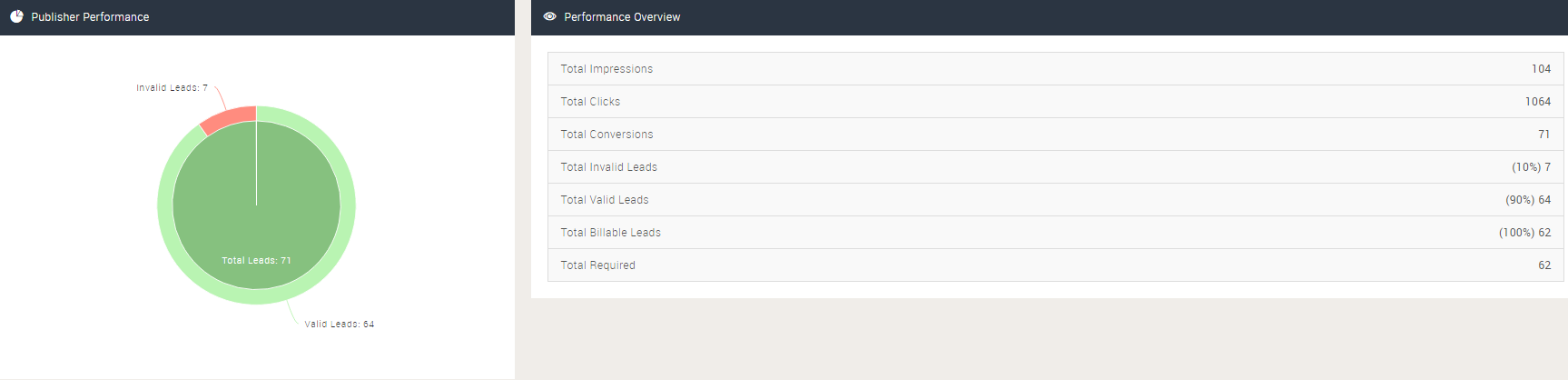
This report provides a breakdown into Publisher lead delivery performance for a given timeframe, with a campaign level breakdown.


Setup

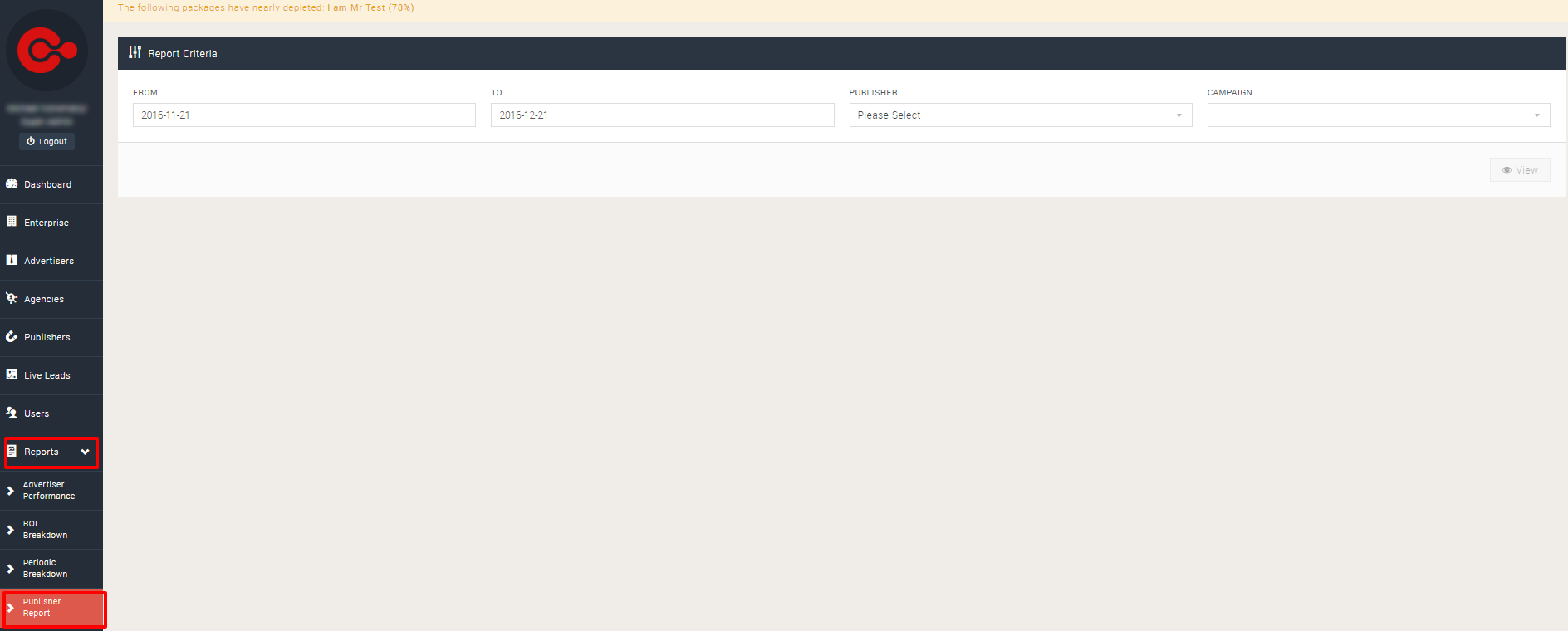
Navigate to Reports > Publisher Report.
save image

Provide the desired date range, publisher and campaign within the filters.

save imageClick 'View' to see the details for the campaign.
save image

If required, the report can be downloaded by clicking the 'Download' button.

save image

Articles in this section

  • Report Builder: Creating and Generating Reports
  • Report Builder - What is Grouping?
  • Report Builder - Sending Your Report As A Password Protected XLSX
  • Adding Custom Fields to the Report Builder
  • Creating an Advertiser Performance Report
  • Publisher Report

Related articles

  • Report Builder: Creating and Generating Reports
  • Email Verification
  • Scheduled Delivery
  • Lead Export
  • Bulk Lead Editing - Call Centre Users
Was this article helpful?
0 out of 0 found this helpful
Have more questions? Submit a request
Return to top

Related articles

  • Report Builder: Creating and Generating Reports
  • Email Verification
  • Scheduled Delivery
  • Lead Export
  • Bulk Lead Editing - Call Centre Users
Convertr